Let's get your gauge running.
Five steps. You'll need your iPhone, your car, and the gauge from the box. Do this parked, with the engine running or the key at ON.
-
Get the AetherGauge app
The app sets everything up and sends navigation, music, weather and notifications to the gauge.
Or search AetherGauge in the App Store. iPhone required. Android coming later.
-
Plug into the OBD-II port
The port is under the dash on the driver's side, usually near the steering column or above the pedals. Plug the cable into the port and into the gauge.
The gauge turns on by itself. There's no power switch. It only reads data and never changes anything in your car.
Works with OBD-II cars: US 1996 and newer, EU petrol 2001+, EU diesel 2004+. Live engine data needs a car that talks CAN: most cars from 2008 on.
-
Mount it
The gauge fits a standard 52 mm gauge pod: A-pillar, single-gauge mount or center console. Pick a spot you can read at a glance.
!Keep the gauge and cable clear of airbags, the steering wheel and the pedals. Tuck the cable away from your feet. -
Connect your phone
- Turn on Bluetooth. Open the app and tap Connect. The gauge shows Connected!
- Allow Bluetooth and Location when the app asks. Location is for navigation, weather and speed limits. It isn't shared.
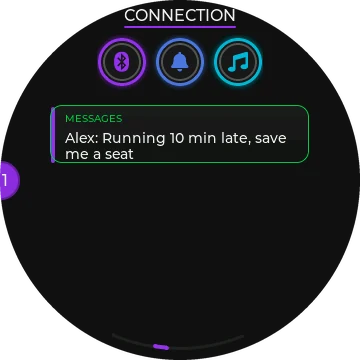
- iPhone: tap Allow when iOS asks to share notifications, so calls and texts show on the gauge.
Don't pair the gauge in your phone's Bluetooth settings. The app does it. After this, the app connects by itself whenever you're in the car.
-
Make it yours
- Modes tab: choose which screens you see and their order.
- Data tab: choose the engine readings on Data 1 and Data 2.
- Home tab: the gauge remote. Change screens and use each screen's button. The gauge has no buttons of its own.
Every screen and setting is explained in the product guide.
Something not right?
The gauge stays dark
Push the cable in firmly at both ends. Some OBD ports are loose.
Some cars cut power to the port with the key out. Turn the key to ON or start the engine.
It may be asleep. It sleeps about 3 minutes after the engine stops and wakes when you start the car.
The app won't connect
Check that Bluetooth is on and the app is allowed to use it (phone Settings, then Apps, then AetherGauge).
Close the app completely and open it again.
If you paired the gauge in your phone's Bluetooth menu, tap Forget there and connect from the app instead.
Engine values show "--"
Start the engine and wait 10 to 20 seconds. The first time, the gauge works out your car's settings by itself.
If one value stays "--" while others work, your car doesn't report it. Pick a different reading in the Data tab.
No notifications on iPhone
iPhone Settings, then Bluetooth, then the (i) next to AetherGauge. Turn on Share System Notifications.
Navigation doesn't show on the gauge
Start the route in the AetherGauge app's Navigate tab. Apple Maps and Google Maps can't send routes to the gauge.
Allow Location "While Using". Choose "Always" if you drive with the phone screen off.
Learn every screen
All 13 screens, the map, engine data, recording drives and the iPhone extras.
Open the product guideStill stuck?
Email us with your car's year, make and model.
AetherworksEngineering@gmail.com